Integrating Fleetbase with Next ERP for Seamless Last-Mile Delivery Management
Discover how integrating Fleetbase with Next ERP streamlines order sync, inventory, and last-mile delivery management for operational efficiency and real-time visibility.
Introduction: Why ERP Integration Matters in Logistics
Enterprise logistics teams face increasing pressure to deliver faster, more reliably, and with complete transparency. Modern supply chains often rely on ERP systems to manage orders, inventory, and financials, but the last mile—the critical final step to the customer—demands real-time coordination and visibility. Integrating your ERP with a robust delivery management platform like Fleetbase bridges this gap, automating workflows and unlocking new efficiencies for operations and customer experience.
Overview of Fleetbase and Next ERP Capabilities
Fleetbase is a comprehensive logistics and supply chain platform designed for real-time delivery management, automated dispatch, and proof of delivery. With Fleet-Ops, logistics teams can orchestrate last-mile operations, monitor driver locations, and ensure every delivery is digitally tracked and verified.
Next ERP (as a placeholder for your enterprise resource planning system) centralizes order management, inventory, and business processes, but typically lacks the granular, real-time delivery orchestration needed for the last mile.
Key Benefits of Integrating Fleetbase with Next ERP for Last-Mile Delivery
- Automated Order Flow: Sync orders from ERP to Fleetbase for instant dispatch and delivery tracking.
- Inventory Synchronization: Align inventory updates between ERP and Fleetbase, especially when using Fleetbase’s Pallet extension for warehouse management.
- Real-Time Tracking: Provide customers and operations teams with live delivery status and driver locations.
- Proof of Delivery: Digitally capture delivery confirmations and audit trails for every order.
- Operational Efficiency: Reduce manual intervention, cut failed deliveries, and automate notifications throughout the delivery process.
Integration Architecture: How Data Flows Between Fleetbase and Next ERP
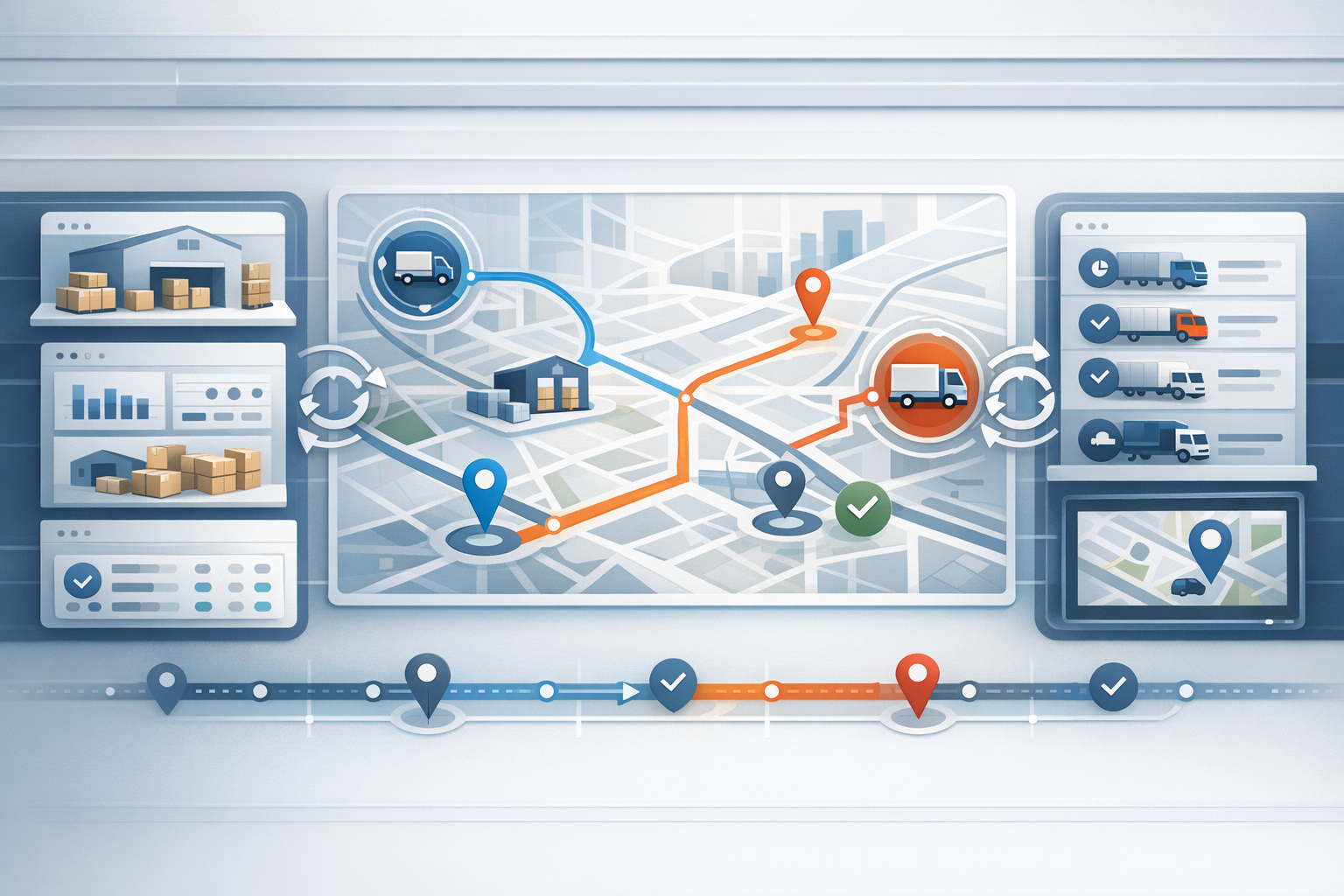
The integration typically involves bidirectional data flows:
- Order Sync: Orders created in Next ERP are pushed to Fleetbase via API, where Fleet-Ops manages dispatch and delivery.
- Status Updates: Fleetbase sends delivery status, tracking links, and proof of delivery back to the ERP for unified visibility.
- Inventory Management: When using Fleetbase’s Pallet extension, inventory movements (e.g., shipped, delivered) can be synchronized with ERP stock levels.[1]
Practical API Workflow: Syncing Orders, Inventory, and Delivery Status
To automate last-mile delivery, the integration workflow might look like:
- Order Creation: An order is placed in Next ERP. The integration service sends the order details to Fleetbase.
- Dispatch & Tracking: Fleet-Ops automatically dispatches the order to available drivers, providing real-time tracking links.
- Status Feedback: As the order progresses, Fleetbase updates the ERP with status changes and delivery events.
- Inventory Sync: For physical goods, shipment or delivery triggers inventory updates in both Fleetbase (Pallet) and the ERP.[1]
- Proof of Delivery: Once delivered, Fleetbase provides digital proof of delivery, which is logged back to the ERP system.
Automating Dispatch and Real-Time Tracking with Fleet-Ops
Fleet-Ops handles automated dispatch, smart routing, and real-time driver tracking. For ad hoc or Uber-like order flows, orders can be created with parameters that broadcast jobs to drivers near the pickup location, enabling rapid, automated acceptance and assignment. Real-time driver locations are available via Fleetbase’s SocketCluster channels, ensuring both customers and operations teams can monitor progress live.[2][3][4]
Proof of Delivery and Digital Audit Trails
Every order managed through Fleetbase can be digitally verified at the point of delivery. Proof of delivery (POD) records—including signatures, photos, and timestamps—are accessible via Fleetbase’s API and can be automatically synchronized with your ERP for compliance and customer service.[2][5]
Best Practices for Secure and Scalable Integration
- Leverage Fleetbase’s documented API endpoints for order, inventory, and proof of delivery workflows (Fleetbase documentation).
- Implement webhook listeners in your ERP to receive real-time status updates from Fleetbase.
- Map order and inventory data fields consistently between platforms, referencing Fleetbase’s API docs for supported schemas.
- Ensure secure authentication and error handling for all integration flows.
- Test with both standard and ad hoc order scenarios to validate dispatch and tracking logic.
Conclusion: Unlocking Efficiency and Transparency in Last-Mile Logistics
Integrating Fleetbase with Next ERP transforms last-mile delivery from a manual, fragmented process into a seamless, automated workflow. Logistics teams gain real-time visibility, automated dispatch, digital proof of delivery, and synchronized inventory—all while enhancing the customer experience. Ready to streamline your delivery operations? Explore Fleetbase documentation and start building your ERP integration today.